



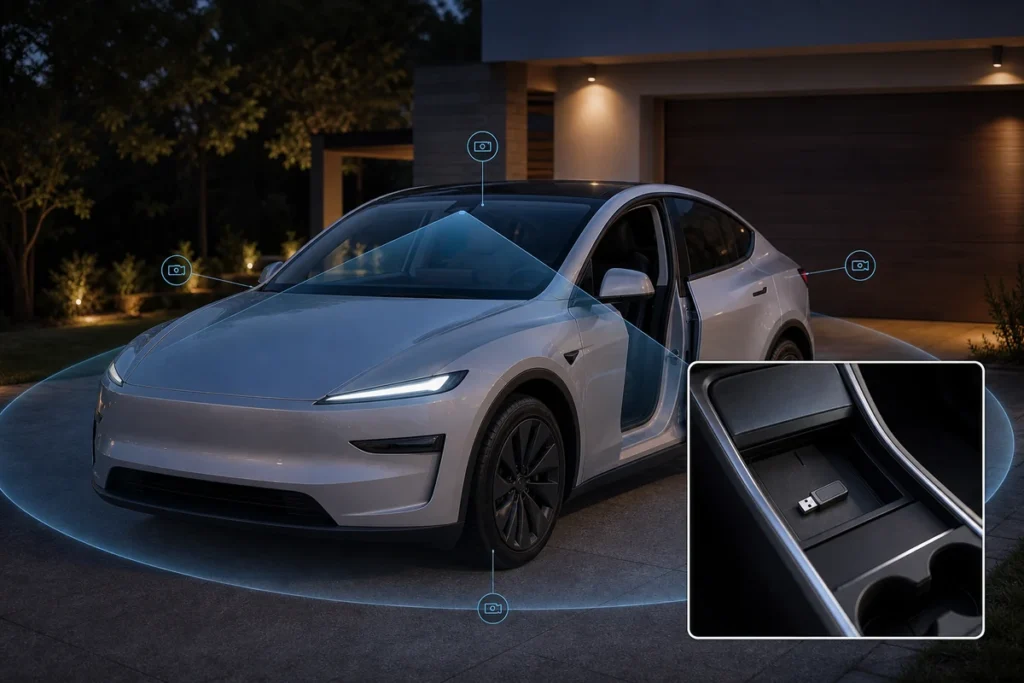
A Tesla Dashcam is the built-in video recording feature that uses the car’s cameras to save driving clips to a compatible USB storage device. Sentry Mode is related but different: it can monitor the parked vehicle and save clips when the car detects certain activity around it.
This is one of the most useful Tesla ownership features, but it is also one of the easiest to misunderstand. The cameras do not replace insurance, careful parking, local privacy laws, or a proper storage setup. If the USB drive is missing, full, slow, or incorrectly formatted, the feature may not save the footage a driver expects.
This guide explains what Tesla Dashcam records, how Sentry Mode works, what storage accessories owners need, and how to build a clean dashcam kit for Tesla customers without overpromising what the system can do.
Table of Contents
- What is a Tesla Dashcam?
- How does Tesla Sentry Mode work?
- Is Tesla Dashcam the same as Autopilot cameras?
- What accessories do you need for Tesla Dashcam?
- How should owners manage battery drain and daily use?
- What should accessory sellers check before offering Tesla dashcam kits?
- Conclusion: Tesla Dashcam is useful when the storage setup is reliable
- Frequently Asked Questions
- References
What is a Tesla Dashcam?
Tesla Dashcam is an onboard recording feature that saves video from vehicle cameras while driving. Depending on vehicle, software, region, and settings, clips can include front, side, and rear camera views saved to a compatible USB drive 1.
The main value is convenience. Traditional dashcams require separate mounting, wiring, lens placement, and power management. Tesla’s system uses cameras already built into the vehicle, so the owner mainly needs a compatible storage device and the correct settings.
Dashcam is not the same as a professional multi-channel security system. Camera angles, recording behavior, clip length, event triggers, and footage availability depend on Tesla’s software design. If an owner needs guaranteed commercial-grade evidence capture, they should treat Tesla Dashcam as helpful support rather than the only record.
For owners building a practical Tesla kit, the related Tesla accessories guide is a useful next step because dashcam storage often sits beside console organizers, floor protection, cargo storage, charging gear, and screen protection. The best setup is tidy, accessible, and reliable without cluttering the cabin.
How does Tesla Sentry Mode work?
Sentry Mode uses the car’s cameras and sensors to help monitor the parked vehicle, then saves clips when the system detects certain events. Tesla describes it as a feature that can record suspicious activity around the vehicle when enabled and when the car has enough battery 2.
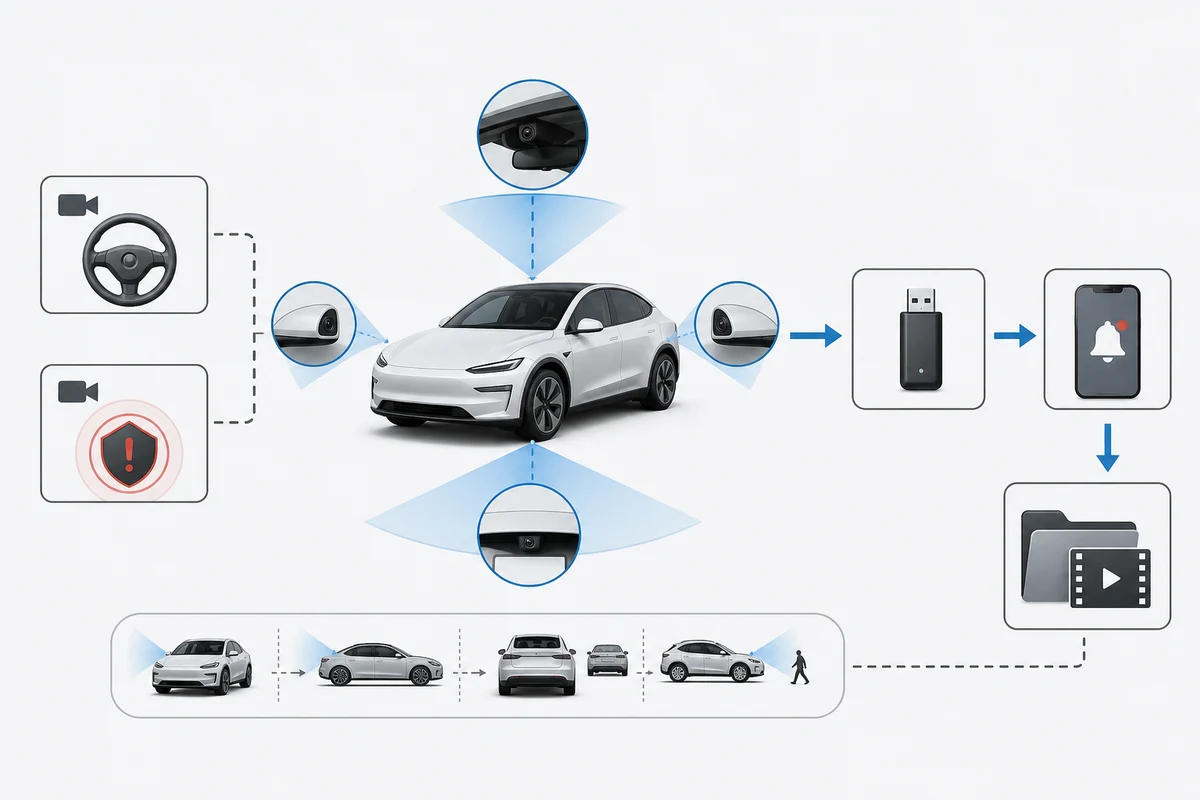
Sentry Mode is most useful in parking lots, street parking, apartment garages, public charging areas, and workplaces where the vehicle may be unattended for long periods. It can help document bumps, vandalism, close approaches, or suspicious movement, depending on what the cameras can see.
The feature has limits. It may not capture every angle, every trigger, or every useful moment. Weather, lighting, camera dirt, obstruction, storage errors, and battery state can affect performance. Owners also need to respect local laws and social expectations around recording in public or private spaces.
Sentry Mode can also use energy while the car is parked. That is a fair tradeoff for some owners, but not always. A driver leaving the car at an airport for several days may make a different choice from someone parking for an hour outside a store.
Is Tesla Dashcam the same as Autopilot cameras?
Tesla Dashcam and Autopilot may use some of the same vehicle camera hardware, but they serve different purposes. Dashcam records video for owner review, while Autopilot uses sensors and software to support driving assistance.
That difference matters because a dashcam clip is not the same as the full data the vehicle may use internally. Owners should not assume every camera feed, sensor input, or driving-assistance decision is available as a normal video file. Tesla controls what is saved, where it is saved, and how the owner can view it.
For readers trying to separate camera recording from driver assistance, the related Tesla Autopilot guide explains why driver-assistance features still require supervision. A camera system can help document an event, but it does not make the vehicle self-driving or remove the driver’s responsibility.
Privacy is part of the conversation too. Tesla publishes privacy information explaining how vehicle data and related services are handled 4. Owners should read the current privacy and manual pages for their region, especially if the vehicle is used for business, rideshare, fleet, or shared family access.
What accessories do you need for Tesla Dashcam?
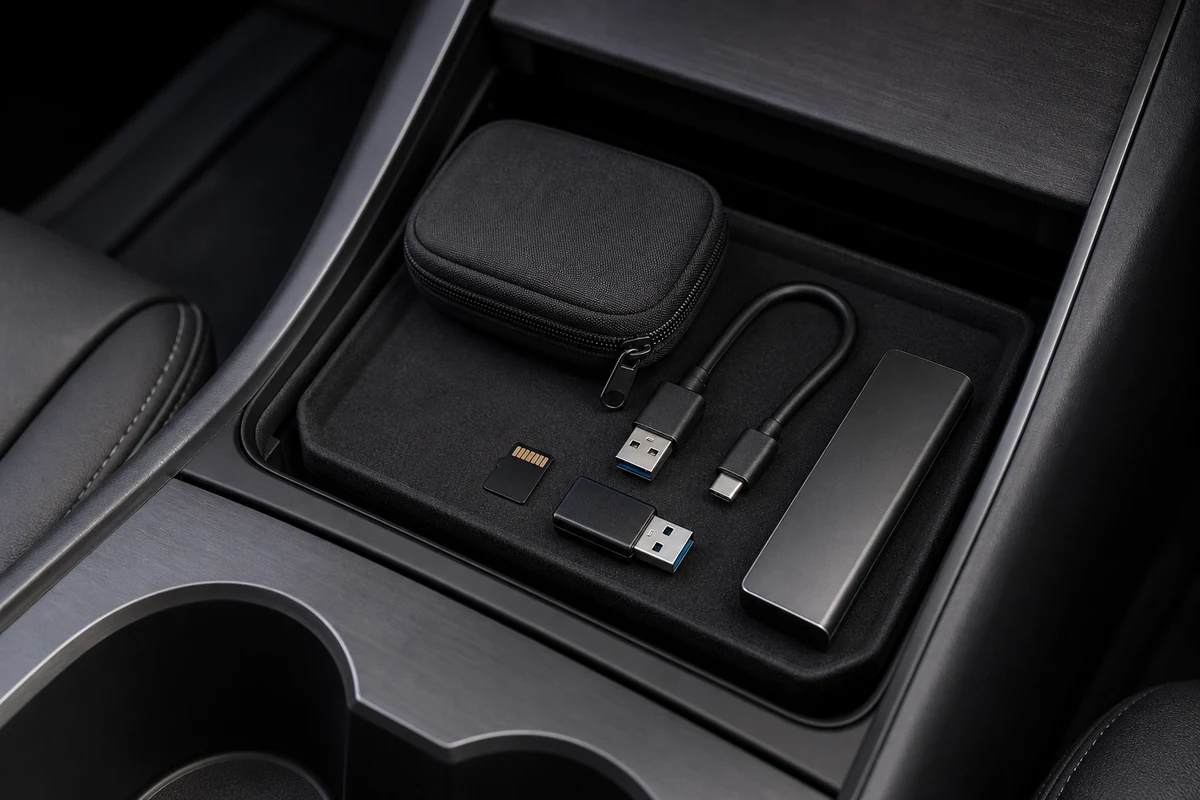
The essential Tesla Dashcam accessory is a compatible USB storage device, but the best setup may also include a high-endurance memory card, USB adapter, compact SSD, short cable, case, and console organizer. The goal is stable recording, easy removal, and clean storage.
Tesla’s owner manual explains that a USB drive must meet requirements for recording videos, and it gives formatting and folder guidance 3. The practical point is simple: do not use the cheapest giveaway USB stick and expect it to handle constant video writing. Dashcam use is harder on storage than moving a few documents.
Common options include:
| Storage option | Best for | Watch out for |
|---|---|---|
| High-endurance microSD + USB adapter | Heat and repeated writes | Adapter quality and capacity |
| Compact SSD | Large storage and fast performance | Cable strain and physical placement |
| Tesla-supplied USB drive | Simple starting point | Capacity may not suit heavy Sentry users |
| Low-cost thumb drive | Light occasional use | Heat, slow write speed, early failure |
Owners should also think about physical placement. A loose storage device can be bumped, removed, or damaged. A small organizer tray can keep USB accessories from sliding around, while a clean cabin setup matters for safety too. For owners protecting the driver footwell and cabin, the Tesla Model Y floor mat guide covers the same fitment-first thinking. If storage accessories move between cabin and front trunk, the related Tesla frunk guide can help owners plan where emergency and charging items belong.
How should owners manage battery drain and daily use?
Owners should manage Dashcam and Sentry Mode by matching the feature to the parking situation, battery level, location, and privacy context. It is useful to leave Sentry Mode on in higher-risk locations, but not every parking stop requires active monitoring.
Sentry Mode uses vehicle power while parked, and Tesla may disable or limit features when the battery gets low. That matters during long airport parking, extended outdoor storage, or cold-weather parking where energy loss is already a concern. The owner should check current manual guidance and in-car settings, because software behavior can change over time.
A practical routine looks like this:
- Use Dashcam for normal driving: Keep reliable storage installed and check recording status periodically.
- Use Sentry Mode selectively: Turn it on for public parking, unfamiliar areas, or higher-risk locations.
- Review clips after events: Do not wait weeks to discover the drive was full or corrupted.
- Format carefully: Follow Tesla’s formatting guidance when the car reports a storage issue.
- Keep charging plans realistic: Do not leave Sentry Mode running for days without considering battery.
For owners sorting the charging side of Tesla life, the Tesla Wall Connector guide explains home charging equipment and why a reliable daily charging routine makes power-using features less stressful.
What should accessory sellers check before offering Tesla dashcam kits?
Accessory sellers should check storage endurance, USB compatibility, heat behavior, packaging clarity, instructions, and model-year fitment before offering Tesla dashcam kits. A good kit should reduce owner confusion, not create another support problem.
The Yirox Team usually treats dashcam accessories as a reliability category. Storage devices should be tested for repeated writes, cabin heat, and physical connection stability. Adapter fit should be checked in the intended USB location. Packaging should clearly explain capacity, compatibility assumptions, formatting steps, and what the accessory does not guarantee.
Good kit planning includes:
| Kit element | What to verify |
|---|---|
| Storage device | Endurance rating, capacity, heat tolerance, write performance |
| USB adapter or cable | Snug fit, no easy disconnection, no awkward strain |
| Case or organizer | Keeps spare card, reader, or cable from rattling |
| Instructions | Clear setup, formatting, clip review, and troubleshooting |
| Claims | Avoid promising that every incident will be captured |
If the next step is building a broader Tesla and new energy vehicle accessory range, related branded automotive NEV accessories provide a product-category starting point. Dashcam kits work best when paired with the rest of the owner’s real routine: charging, storage, floor protection, and everyday organization.
Conclusion: Tesla Dashcam is useful when the storage setup is reliable
Tesla Dashcam and Sentry Mode are valuable features because they use the vehicle’s built-in cameras to record driving clips and help monitor the parked car. They can be very useful after a close call, parking incident, or suspicious event, but they depend on correct settings, good camera visibility, enough battery, and reliable USB storage.
For owners, the best move is to build a simple, dependable setup: compatible storage, clean physical placement, occasional clip checks, and realistic expectations. For accessory sellers, the best dashcam kit is not the flashiest one. It is the one that survives heat, repeated writes, daily handling, and customer setup without drama.
Frequently Asked Questions
Does Tesla Dashcam record all the time?
Tesla Dashcam can record while driving when properly enabled with compatible USB storage. Exact behavior depends on vehicle, software, settings, and storage status.
Does Sentry Mode work without a USB drive?
Sentry Mode may still alert or monitor depending on settings, but saved video clips require compatible storage. Owners should follow Tesla’s current USB drive requirements for recording.
What USB drive is best for Tesla Dashcam?
A high-endurance microSD card with a quality USB adapter or a compact SSD is often better than a cheap thumb drive. The storage should handle heat and repeated video writes.
Does Sentry Mode drain the battery?
Yes, Sentry Mode uses energy while the car is parked. Owners should use it thoughtfully during long parking periods or when the battery is low.
Can Tesla Dashcam replace a separate dashcam?
For many owners it can replace a separate dashcam for basic recording, but it has limits. Drivers who need specific camera angles, commercial features, or independent power may still prefer a dedicated dashcam.
References
[1] Tesla. (2026). *Model Y Owner's Manual – Dashcam*.
[2] Tesla. (2026). *Model Y Owner's Manual – Sentry Mode*.
[3] Tesla. (2026). *USB Drive Requirements for Recording Videos*.
[4] Tesla. (2026). *Data Privacy*.